Quotas at a glance
See session and weekly usage, exact reset times, and provider status in one calm view.
The iPhone companion for CodexBar
Know your limits. Keep your flow.
Live AI quotas, reset times, and cost from the CodexBar server on your Mac—clear and close at hand.
Coming in BarPeek 1.1 Awaiting App Store review · See what’s coming ↓Private by design. Your server, your connection.
A clearer read
See session and weekly usage, exact reset times, and provider status in one calm view.
See available costs and token totals from your server. Daily history and token breakdowns depend on the API mode.
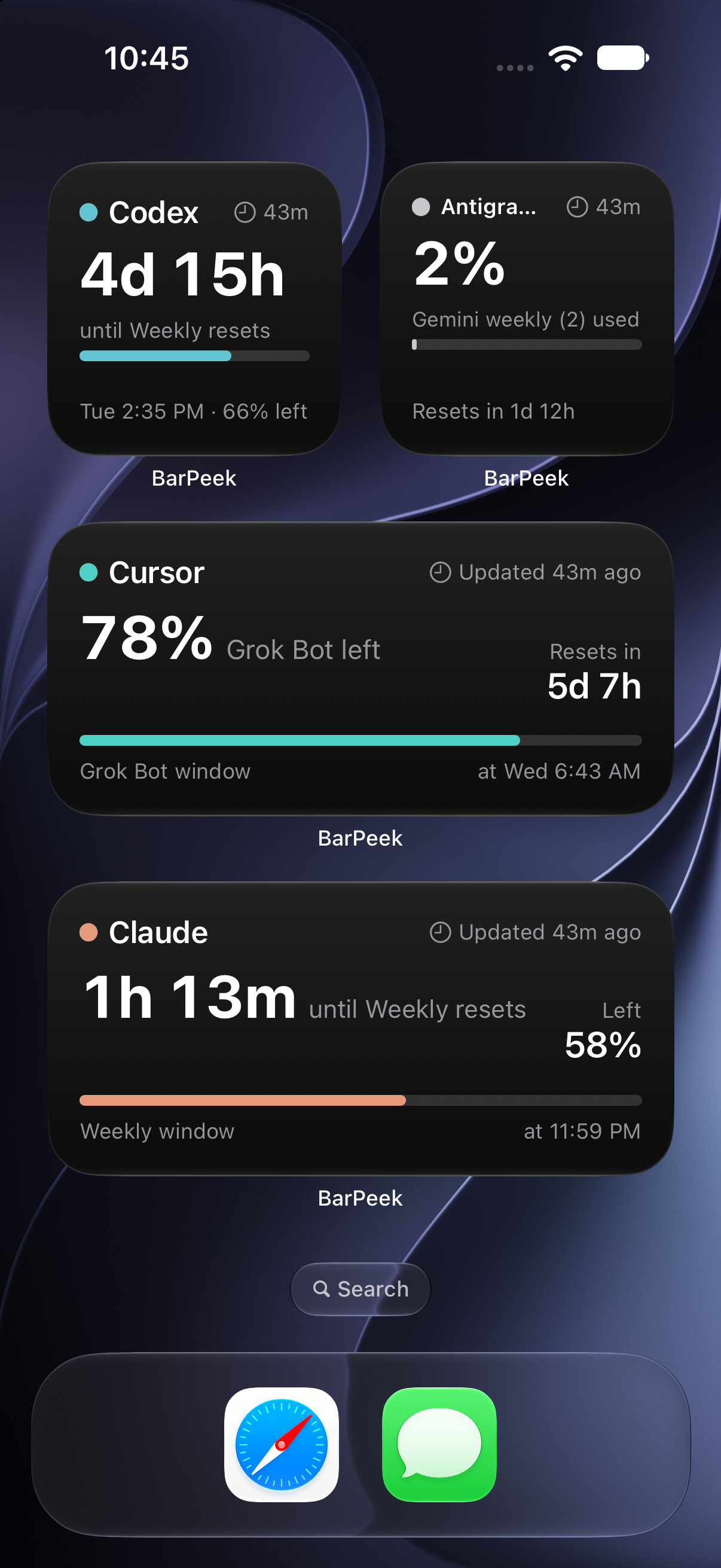
Small and medium Home Screen widgets keep your most important limits within sight.
Coming in 1.1 · Awaiting App Store review
BarPeek 1.1 brings more personal widgets, automatic refresh, and easier setup. The update is awaiting Apple’s review; these changes will be available when it’s released.
Choose a provider, a usage window, and % left, % used, or reset time. Available in small and medium sizes, including Cursor’s Grok Bot window.
Usage refreshes automatically while the app is open. Widgets can fetch with the app closed and request updates every 30 minutes, subject to iOS scheduling. Saved data stays visible if a fetch fails, with its age clearly shown.
Paste a server address or a full endpoint URL. BarPeek recognizes supported endpoints, selects the API mode, and previews the connection test. Tokens pasted with “Bearer” work too.
Updating from 1.0? After installing 1.1, open BarPeek once to share your saved connection with the widget. Replace the original BarPeek widget with BarPeek Provider; add separate widgets to follow multiple providers.
Your server. Your connection.
Choose how your iPhone reaches CodexBar on your Mac. Start with Tailscale for a private connection, or use Cloudflare Tunnel for your own HTTPS address.
Your Mac needs to stay awake and connected for fresh data. Keep the connection token private; it is separate from your AI provider credentials. Full setup documentation ↗
Ready when you are